

Natan Abramov
| Updated | 6 min read
The short answer
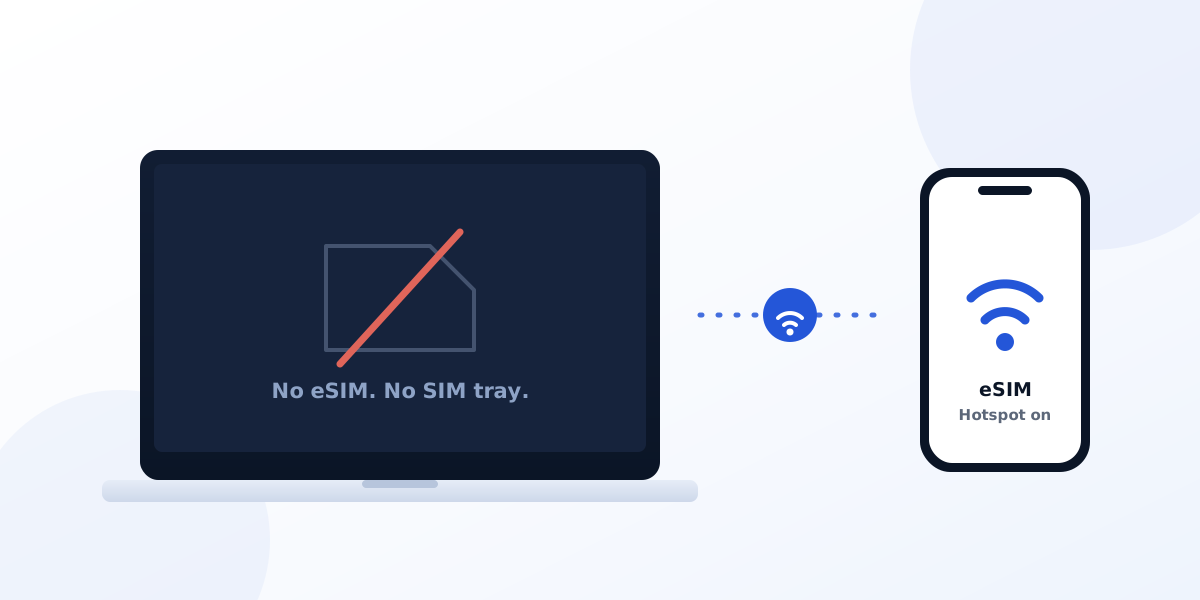
No Mac ever shipped with a cellular modem. There's no SIM tray, eSIM options and no way to install a data plan on a MacBook.
That is still true in August 2026 for all available models, including M5 chips.
If you're on a trip see how to connect a MacBook abroad today. It takes about 2 minutes and works on any Mac.
Worth knowing that iPads have a variant with cellular/eSIM support for years. If you own one, you can add an eSIM directly on it without a hotspot, here's a guide about it: iPad eSIM install guide.
Windows laptops support this for years
Mac users probably won't like this or shake it off as unneeded (since Macs don't have it) but laptops with eSIMs is nothing new or experimental. Many business Windows machines have cellular modems for years, including the Lenovo ThinkPad, Dell Latitude, HP EliteBook, and Microsoft Surface lines.
Unfortunately, that's the state of Apple's current product decisions, a MacBook Pro costing twice as much as a Lenovo doesn't have this neat feature.
With that said, it might change in the future. Apple used to source their chips from Qualcomm and having a modem would have made the Mac even pricier and hurt their sales. Now that Apple builds its own modems, the numbers behind the decision may change.
I love macs and I can use a hotspot with my eSIM, so I wouldn't trade my mac for a Windows machine just yet, but I'm definitely waiting for Apple to add this to their model line.
Traveling and working: get your MacBook online
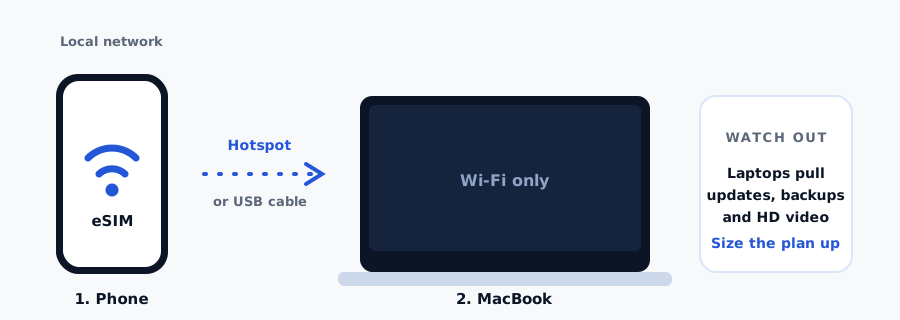
Buy an eSIM with unlimited data plan for your phone (make sure hotspot is allowed by the provider. Pelesim allows this) and share the connection with the Mac. Your phone is the modem, and it's pretty solid at that.
- Install a travel eSIM on your phone before you fly. It takes about 90 seconds and needs Wi-Fi. iPhone guide or Android guide.
- Land, and let the eSIM connect to a local network. Pelesim plans start on first connection at the destination, not at install, so setting up early costs you nothing.
- Turn on Personal Hotspot (iPhone: Settings > Personal Hotspot. Android: Settings > Network > Hotspot).
- Join that hotspot from the Mac or plug-in the phone, which is usually faster and more stable.
Which sharing method to use
| Method | Best for | Trade-off |
|---|---|---|
| USB cable | Limited to 1 device, good for long working sessions | stable, faster, and charges the phone |
| Wi-Fi hotspot | Sharing with multiple devices | Drains the phone battery quite fast |
| Bluetooth | Light use and battery efficient | A lot slower, fine for email and messaging |
Hotspot use is allowed on Pelesim plans. But some eSIM providers block or cap this. When comparing plans, check the fair-use terms before you buy. We show the fair-use-policy on the plan before checkout, and you can see what our plans cover on any destination page.
Hotspot drains data faster than you'd expect
A phone usually uses less data with background limits, closing apps, etc.
A laptop doesn't have these guardrails. Once your Mac joins the hotspot it will treat it like a regular WiFi and start syncing, updating apps, run backups, and would probably stream high res video.
- macOS and app updates can weigh several gigabytes and will happily start downloading on a metered hotspot.
- Photos, Google Drive and any other background apps resume sync once you connect.
- Video calls run at higher resolution on a laptop than on a phone, roughly 1 GB/hour.
- Streaming is usually higher resolution on a large screen unless you change the settings manually.
Before you buy, size the plan for laptop use rather than phone use, or just go with an unlimited package. Use the travel data calculator, and the guide to checking eSIM data usage to decide.
To turn on data saving on macOS, Go to System Settings > Wi-Fi > Details next to the hotspot network > turn on Low Data Mode.
Background updates and syncs are reduced for the specific network.
The other options, and when they are worth it
Hotspot tethering is the right default, but it is not the only way to get a laptop online.
Pocket Wi-Fi
Rental hotspot device worth considering if several people are going to share the connection, or if you want to save you phone's battery. But it's another device to carry, can be quite expensive and it's not easy to find one when travelling.
Public Wi-Fi
Most touristic destinations have WiFi's all over: hotel, cafe, airport, it's usually OK but often very slow. Also, security wise, avoid accessing sensitive websites and apps like banking, and use a VPN when possible.
It's worth checking you're connecting to the "official" WiFi of the place and not a man-in-the-middle network trying to hack your accounts and device.
The practical answer for most trips is simple - go with an eSIM.
Apple is going to add eSIMs to Mac?
Apple are shipping their in-house modems since the C1 on the iPhone 16e in February 2025, MacRumors keeps a running C1 guide.
Apple's software has hidden references to a cellular module, pointing at the C1 under the codename Centauri. Bloomberg's Mark Gurman has reported a redesigned MacBook Pro with a thinner chassis, tandem OLED display, and an integrated modem, and separately that Apple is testing the C2 for the iPhone 18 Pro in 2026 with a C3 following in 2027, 9to5Mac covered what the C-series enables.
| Claim | Confidence |
|---|---|
| Apple has working in-house modems and has tested one in a MacBook Pro | Near certain |
| If it ships, it will be eSIM-only with no SIM tray | Likely |
| It debuts at the top of the MacBook Pro line, not on the base model | Likely |
| Ships late 2026 or early 2027 | Genuinely uncertain |
| Cellular ships at all in this redesign cycle | Genuinely uncertain |
| Pricing, carrier deals, and included data | Speculation |
Really, is it going to happen?
The direction is well supported, but the date isn't.
The assumptions and rumors have already moved the debut from 2028 to late 2026 or early 2027. With all that's been going on in the world and RAM shortage it will probably move down in Apple's priority list.
Recent reports dropped cellular entirely.
Bottom line: I don't think we'll see a Mac with eSIM support for at least a year.
Frequently asked questions
Can I put an eSIM on a MacBook?
No. use your phone's hotspot or USB tethering.
Do any laptops support eSIM?
Yes. Windows business machines do, including Lenovo ThinkPad, Dell Latitude, HP EliteBook, and Microsoft Surface models, including eSIM.
When will a MacBook with eSIM be released?
No due date, we hope to see one in 2027.
Can I use a travel eSIM as a hotspot for my laptop?
Yes on Pelesim plans. Choose a larger plan if you expect to work.
Check the fair-use terms on any provider before buying.
Is USB tethering better than a Wi-Fi hotspot?
Usually faster and more stable. But frankly, on newer phones A Wi-Fi hotspot is good enough for most.
Is pocket Wi-Fi better than tethering?
Hard to find, more expensive and you need to setup another device. It's not worth it usually.